What Is the Word Count Command in Linux, Mac & Terminal?
In this article, you will learn how to count words, lines, characters, and bytes in Linux and Mac using the wc command with simple examples using the terminal.
Quick Summary
- In Linux and Mac Terminal, the
wccommand is used to count the number of lines/words/bytes/characters inside a text file. - If left to its default,
wc file.txtwill display the number of lines, words, and bytes in the file as well as the name of the file. - To count words, use
wc -w; to count lines, usewc -l; to count characters, usewc -m; and to count bytes, usewc -c. - This is because the difference between
wc -candwc -mcan differ as bytes and characters can be distinct in Unicode or non-English text. - The number of lines of command output or lines that match a pattern could be counted using a pipe with
wc, e.g.grep "error" app.log | wc -l.
Basic Syntax of the wc Command
The basic syntax is:
wc [option] [file]Example:
wc file.txtOutput:
10 85 520 file.txtBy default, wc shows three values:
| Output Position | Meaning |
|---|---|
| First value | Number of lines |
| Second value | Number of words |
| Third value | Number of bytes |
So, in this example:
10 85 520 file.txtmeans the file has 10 lines, 85 words, and 520 bytes.
The easiest way that I know to remember the command is wc [option] [file] the option says what to count, the file name says where to count.
Common wc Command Options
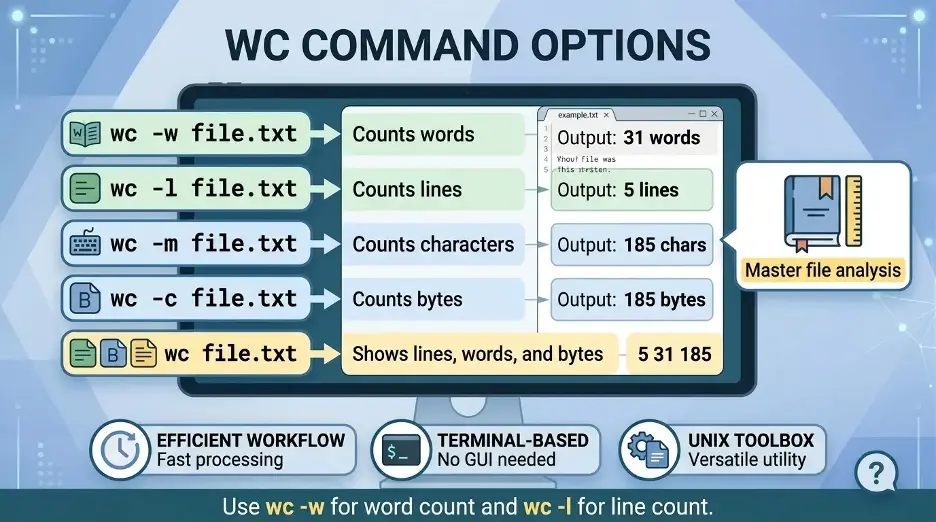
| Command | Purpose | Example |
|---|---|---|
wc -w | Count words | wc -w file.txt |
wc -l | Count lines | wc -l file.txt |
wc -c | Count bytes | wc -c file.txt |
wc -m | Count characters | wc -m file.txt |
wc file.txt | Count lines, words, and bytes | wc file.txt |
How to Count Words in Linux or Mac Terminal?
To count words in a file, use:
wc -w file.txtExample:
wc -w article.txtOutput:
1250 article.txtThis means article.txt contains 1,250 words.
How to Count Lines in a File?
To count lines, use:
wc -l file.txtExample:
wc -l app.logThis is useful for counting lines in log files, CSV files, code files, or text documents.
How to Count Characters?
To count characters, use:
wc -m file.txtExample:
wc -m content.txtUse this when you want the actual character count of a text file.
How to Count Bytes?
To count bytes, use:
wc -c file.txtExample:
wc -c data.txtBytes and characters are not always the same. In simple English texts, they are often equal. In Unicode text, one character may use more than one byte.
Difference Between wc -c and wc -m
| Option | Counts | Best Used For |
|---|---|---|
wc -c | Bytes | File size or byte-level text analysis |
wc -m | Characters | Actual character count in text |
Example:
wc -c file.txt
wc -m file.txt
Use wc -m for character count and wc -c for byte count.
Using wc with Pipes
The wc command can also count output from another command.
Example:
echo "Linux terminal is useful" | wc -wOutput:
4You can also count files in a directory:
ls | wc -lThis counts how many items are listed in the current directory.
Count Matching Lines with grep and wc
You can combine grep with wc to count matching lines.
Example:
grep "error" app.log | wc -lThis counts how many lines contain the word error.
For case-insensitive search:
grep -i "error" app.log | wc -lLinux vs Mac wc Command
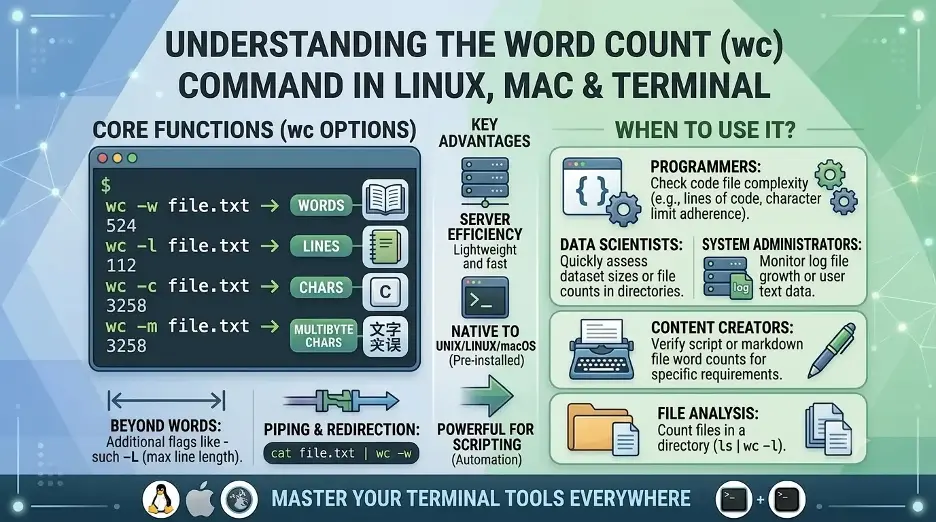
The wc command works almost the same on Linux and Mac Terminal.
| Feature | Linux | Mac |
|---|---|---|
| Word count | wc -w file.txt | wc -w file.txt |
| Line count | wc -l file.txt | wc -l file.txt |
| Byte count | wc -c file.txt | wc -c file.txt |
| Character count | wc -m file.txt | wc -m file.txt |
| Default version | GNU wc | BSD wc |
For basic word, line, character, and byte counting, there is no major difference between Linux and Mac.
How to Show Only the Number
By default, wc shows the count and filename:
wc -w file.txtOutput:
500 file.txtTo show only the number, use input redirection:
wc -w < file.txtOutput:
500This is useful in shell scripts.
Practical Examples
| Task | Command |
|---|---|
| Count words in a file | wc -w file.txt |
| Count lines in a file | wc -l file.txt |
| Count characters in a file | wc -m file.txt |
| Count bytes in a file | wc -c file.txt |
| Count files in a folder | ls | wc -l |
| Count matching log lines | grep "error" app.log | wc -l |
| Count words without filename | wc -w < file.txt |
The most important commands are:
| Command | Use |
|---|---|
wc -w file.txt | Count words |
wc -l file.txt | Count lines |
wc -m file.txt | Count characters |
wc -c file.txt | Count bytes |
For most users, wc -w file.txt is the main command for checking word count, while wc -l, wc -m, and wc -c are useful for line, character, and byte counts.
If you are comparing terminal counts with writing-app counts, you may also want the guides for checking word count on Mac and word count vs character count.
Interesting Research Facts
Full citations are in Sources below.
Unix pipeline design
wc processes text streams sequentially, and will be useful with other text stream processors such as grep, find, and pipes to filter the text stream before counting.
Source: Unix pipeline design
Buffered I/O efficiency
wc reads in chunks of data for processing, which means that counting lines, words, bytes, and characters is both fast and doesn't require a lot of memory.
Source: Buffered I/O efficiency
Word definition
The word definition for wc is defined as a non-empty sequence of non-whitespace characters, not as defined by dictionary.
Source: Word definition
wc -l counts newlines
A file containing no newline character will have one line less than the number of newlines you expect in it.
Log-processing use case
In commands such as grep "ERROR" access.log | wc -l, grep, the operation of filtering is typically done by the command grep, and the operation of counting is typically done by the command wc.
Source: Log-processing use case
Frequently Asked Questions
1.What is wc?
wc is used to count the number of lines, words, bytes and characters in a file or terminal output.
2.Why are there three numbers when using wc file.txt?
If you do not use any options, the default behavior of wc is to print the number of lines, words, and bytes.
3.How to count just the lines that exist in a file?
Count just the lines: wc -l file.txt.
4.How to display the number but not the file name?
Input redirection can be done like this: wc -w < file.txt.
5.What is the difference between wc -c and wc -m?
The wc -c will count bytes, and the wc -m will count characters. They may vary in the Unicode text.
6.Why does echo "k" | wc -c show 2 instead of 1?
The character count goes in the range; when you use echo, it's putting a line break after k, so that wc -c counts the character and the line break.
7.What does ls | wc -l do?
Counts the number of items in the current directory.
8.Can I use wc with grep?
Yes. The following command, for instance, will return the number of lines in the file app.log that have the word error in them: grep "error" app.log | wc -l
How we reviewed this article:
Share this article