How to Count Words in Apple Notes?
Know how to use Pages, Google Docs, word count tools, Shortcuts, or the built-in Word Count feature on Apple Notes to count words on Mac, iPhone, and iPad.
Quick Summary
- Apple Notes doesn't have a word count feature and copy and paste your note into another app or tool to get the total word count.
- This is the simplest way to get your Apple Notes text into Pages: it works on Mac, iPhone and iPad and makes the process easy.
- If you are already using Google Docs or Microsoft Word for writing, editing, schoolwork, blog posts or work documents, you can also use those.
- Word counters online may be helpful for short-term use, but should never be used for private notes, passwords, client work, or sensitive information.
- If you ever need to count the number of words in a text that you copy and paste from Apple Notes, you can make a shortcut for your iPhone or iPad to do so and display the result with a blink.
Does Apple Notes Have a Word Count Feature?
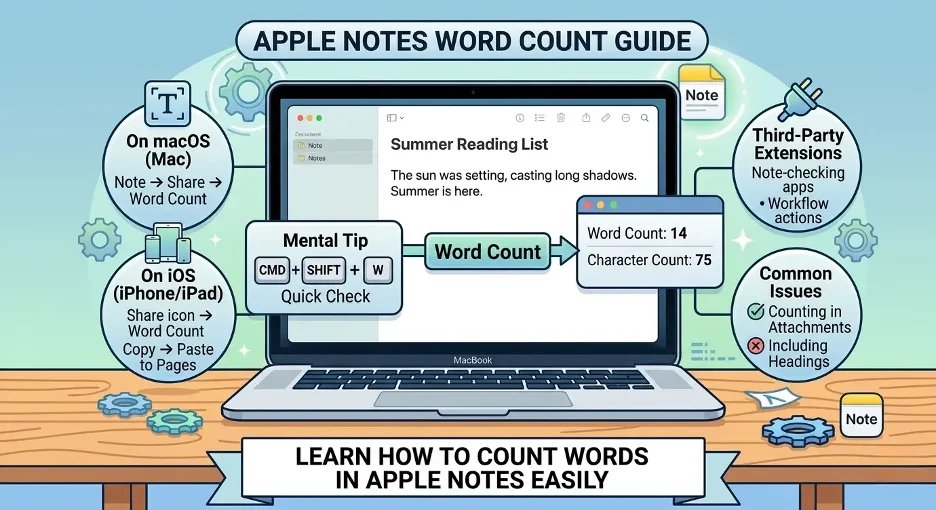
At present, there's no native feature in No. Apple Notes that allows you to count words. While Apple's official Notes guide mentions that you can format notes, add tables, attachments, search, tags and collaborate on notes, there is no word counter for Notes built in.
Copying the text from Apple Notes and pasting it into another app that can count words is the easiest solution if you need a word count.I did some investigating in Apple's Notes features and couldn't find a word count built into the Notes app.
For example:
Based on my testing, Pages is the easiest word count for Apple Notes due to it being free, easy to use and my note stays private.
Best Way to Count Words in Apple Notes
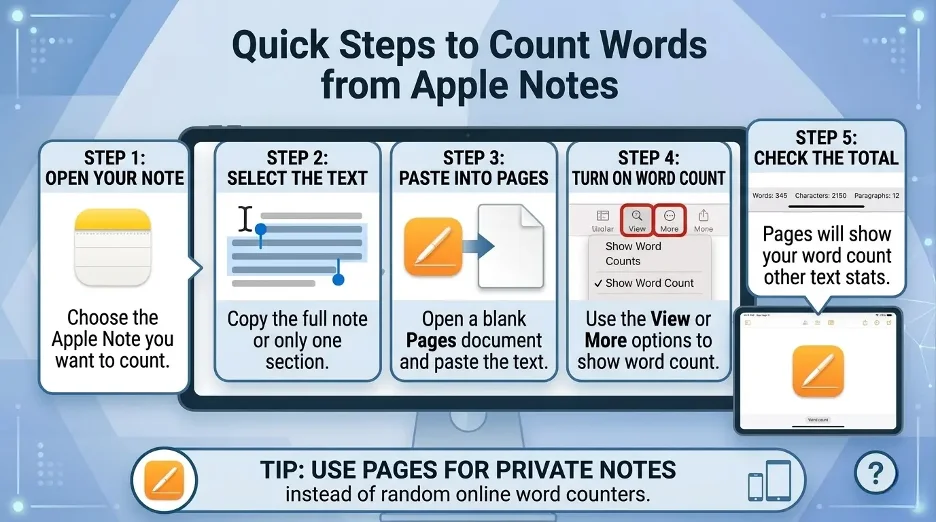
The quickest method to count words in Apple Notes is:
- Open the note.
- Select the text.
- Copy it.
- Copy and paste into a word counter, Pages, Google docs or Microsoft word.
- Look at the word count there.
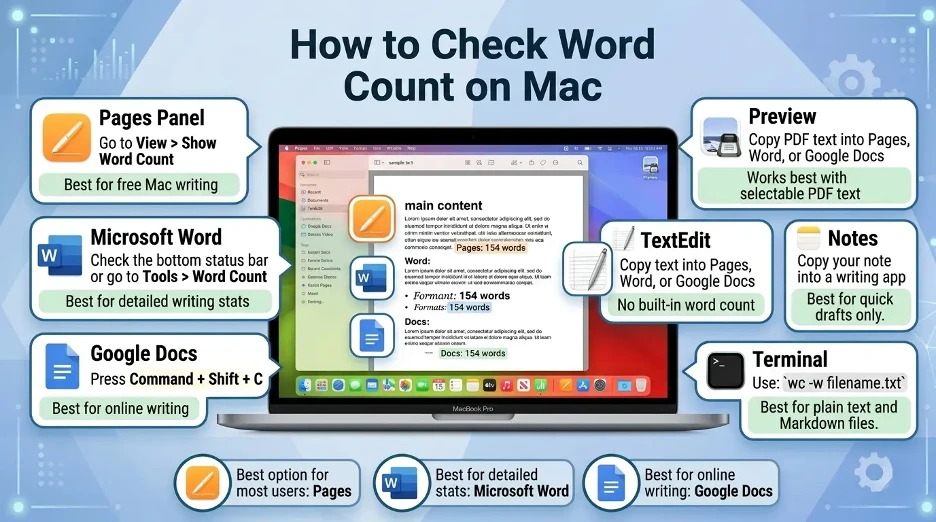
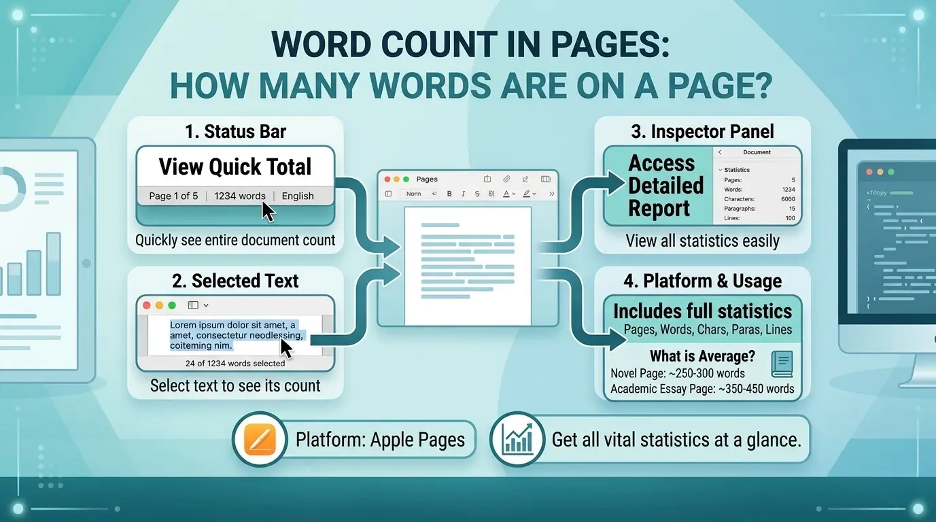
Pages is typically the most convenient built-in choice for Mac. A word count shortcut and Pages are good options for iPhone and iPad users. Word count and document statistics, such as characters, paragraphs, and pages are supported by Apple Pages. I personally like Pages because it is free, by the Apple company and simple.
How to Count Words in Apple Notes on Mac?
For Mac users that use Apple Notes, there are a number of trustworthy choices.
Method 1: Copy the Note into Pages
Pages is Apple's word processor and has a word count feature.
Use as follows:
- Open the Notes app on your Mac.
- Open the note you wish to count.
- Select all the text in the note by pressing Command + A.
- Copy it by pressing Command + C.
- Open Pages.
- Make a new blank document.
- To paste the note press Command + V.
- In the menu bar click View.
- Click on Show Word Count.
The total number of words in the pages will be displayed. You can also click on the counter to get other statistics like number of paragraphs and number of characters.
If you don't need to use a third-party app, then this is your best bet for an accurate word count.
Method 2: Use Google Docs
Another easy method to count words from Apple Notes is with Google Docs.
Follow these steps:
- Open up the Apple Note.
- Copy the text.
- Open Google Docs.
- Make a new document.
- Copy and paste the note text.
- Click Tools.
- Select Word count.
Press the shortcut key:
Command + Shift + C
Word, character, and page counts will appear in Google Docs.
Method 3: Use Microsoft Word
This method is fast if you are already familiar with Microsoft Word.
- Make an Apple Notes copy of your note.
- Open Microsoft Word.
- Copy the text to a blank document.
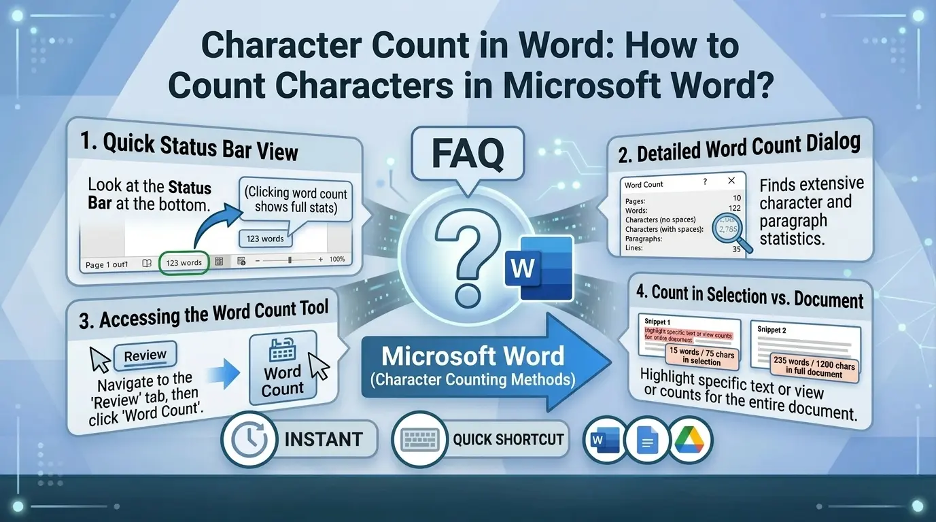
- Count the number of words in the bottom left corner of the Word window.
This is one of the quickest ways to get a word count for longer notes, essays, scripts or article drafts in Microsoft Word.
Method 4: Use an Online Word Counter
Also you can copy and paste your Apple Notes text into an online word counter.
The procedure is very easy:
- Copy your note.
- Go to a trusted word counter site.
- Paste the text.
- See word count in real time.
Good for quick tests, but doesn't copy/paste private information, passwords, business notes, personal journal entries or sensitive information into online tools.I don't like private notes being pasted onto a random internet word counter, particularly containing private, business or sensitive information.
How to Count Words in Apple Notes on iPhone?
There is no word counter for Apple Notes on iPhone either. The simplest way to do this is to copy the note into Pages or another word counting program.
Method 1: Copy the Note into Pages on iPhone
- Open the Notes app.
- Open the note that you would like to count.
- Hold down the text.
- Tap Select All.
- Tap Copy.
- Open the Pages app.
- Make a new document.
- Paste the note.
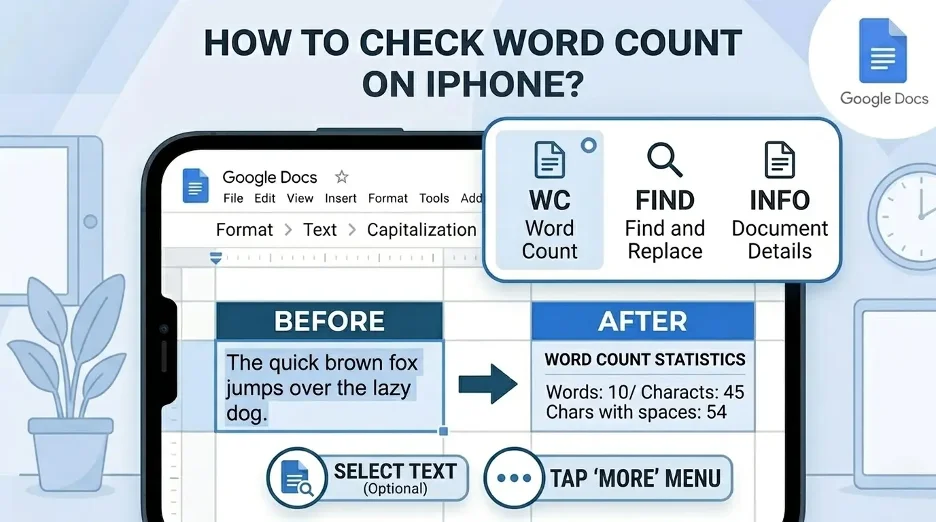
- Click on the More button.
- Go to View Options.
- Turn on Word Count.
The word count will be displayed towards the bottom of the screen. You can also tap the counter in Pages to view other statistics, like the number of characters and paragraphs.
Method 2: Use a Word Count App
Word Count is a word counter app you can get from the App Store if you're counting words frequently. There are some note taking and writing applications that have live word count features that can benefit students, writers, bloggers and social media users. For instance, the word and character count information is in its own dedicated note section in App Store listings.
It is helpful if you are a regular writer:
- Essays
- Blog posts
- Captions
- Scripts
- Speeches
- Journal entries
- Social media drafts
When using a third party app, review its privacy information and be careful to avoid entering sensitive notes into apps that aren't trustworthy.
Method 3: Use a Shortcut
On iPhone you can count words faster with the use of the Shortcuts app.
Typically, a basic word count shortcut will be something like this:
- Get text from the clipboard.
- Divide the text in spaces.
- Count the items.
- Show the result.
After generating, you can copy the text from Apple Notes, execute the shortcut and watch the count of the words.
This takes some set up, but it is convenient if you need to check word counts frequently.
How to Count Words in Apple Notes on iPad?
The iPad process is much the same as the iPhone process.
Best Method: Use Pages on iPad
- Open your note in Apple Notes.
- Click and highlight the text and then copy it.
- Open Pages.
- Copy and paste the text into a new word document.
- Turn on word count from the view options.
- At the bottom of the screen, view the total word count.
This is the safest way to do it as it is Apple's own writing app and does not need an online tool.
How to Count Selected Words in Apple Notes?
Occasionally it might be desirable not to count the whole note. You might only count a paragraph, section or draft.
Select the text and click on the count button:
- Open the note.
- Select the text you want to count.
- Click and drag to select the text and then copy.
- Place it in Pages, Word, Google docs or word counter.
- Review word count.
Useful if your note has a heading, a checklist, links or additional comments which you don't want to be counted in the final count.
Can Siri Count Words in Apple Notes?
Siri can't count words within text notes. You can use Siri to execute a Shortcut, but there is no shortcut built-in command that will automatically check the word count of a note.
Use a word counter app, a Shortcut, Word or Pages for accurate results, or use Google Docs.
Best Tools to Count Words from Apple Notes
The following are the top choices based on the device and requirements:
| Tool | Best For | Works On |
|---|---|---|
| Pages | Apple users who want a free built-in option | Mac, iPhone, iPad |
| Google Docs | Cloud-based writing and collaboration | Mac, iPhone, iPad, web |
| Microsoft Word | Professional writing and editing | Mac, iPhone, iPad |
| Online word counter | Quick one-time checks | Any browser |
| Shortcuts app | Repeated word counts on iPhone or iPad | iPhone, iPad |
| Word count apps | Live word and character counting | iPhone, iPad |
Which Method Is Best?
The word count in Apple Notes is free and made by Apple so, for most users, Pages is the best option.
Use this approach:
- If you're looking for an easier way that is Apple-only, you can use Pages.
- If you're online and working together or collaborating online, use Google Docs.
- If you are used to writing in Word, use Microsoft Word.
- For quick, nonsensitive text, use an online word counter.
- If you prefer a more efficient process on iPhone or iPad, you can use a Shortcut.
Why Should Apple Notes Have Word Count?
Apple Notes is more than just a note taking app. It's used by many for serious writing, such as blog drafts, school notes, research, meeting summaries, outlines and personal journaling. For authors, students, marketers and professionals it would be useful to have a built-in word count feature.
For now, the easiest way to circumvent the issue is to copy and paste the note into Pages or another note taking app.
Interesting Research Facts
Full citations are in Sources below.
Digital note-takers write more words
Word count is valuable to track and manage longer notes, as typing creates a much higher volume of words than handwriting.
Word count supports better review
Xu et al. discovered that word count in notes is particularly important when considering delayed learning, especially when students review notes later.
Apple Notes users work across devices
Mobile-device note taking enables students to organize notes into a personal digital library that can be accessed from their mobile device, tablet, or laptop, and word tracking is helpful throughout the workflow of mobile, tablet and laptop device Apple Notes users.
Digital notes feel easier to produce
A Frontiers research study revealed that the perceived cognitive load of digital note taking was less than some structured, manual methods, which can encourage users to create a larger amount of text in a shorter amount of time.
Typing can increase verbatim notes
When taking notes by keyboard, users tend to take verbatim notes, and may not realize that notes are getting too long.
Frequently Asked Questions
1.Is the word count available in apple notes?
Many people complain about Apple Notes not containing built-in word count functionality in Apple Community or Reddit alike.
2.How to count words in Apple Notes on iPhone?
Make another copy of your note and open it in Pages and enable Word Count. If you wish to have a quicker method, you can also use a Shortcut.
3.How many words are there in Apple Notes on Mac?
Yes, but not directly in Notes. The simplest option is to copy the note into Pages, Google docs or Microsoft Word.
4.Does anyone know of a shortcut that can count the word count in Apple Notes?
Yes. There are users that use Notes to count words or characters or sentences with Apple Shortcuts; the setup may differ depending on the device.
5.How about Word Count in Apple Notes?
Apple Notes is a basic note taking app, thus doesn't have a built-in word counter.
6.What is the simplest solution?
As I have found, Pages is the simplest to use for free, works on Apple devices, and has word count.
7.May I only count certain text in a note?
Yes. Select the part you want, copy it, and paste it into Pages, Word, Google Docs or a word counter.
8.If there is an online word counter, which should I use?
Only for non-sensitive text. Do not copy & paste personal notes, passwords, client work or personal info into unknown websites.
How we reviewed this article:
Share this article