Character Counter Online: What It Is and When to Use It?
Count characters, words, spaces, sentences and paragraphs online for SEO, social media, forms or to write.
Quick Summary
- Count instantly online
Paste or type text to see characters, words, spaces, sentences, and paragraphs—try our free character counter. - Essential for SEO metadata
Use a character counter for titles and meta descriptions to stay brief and clear. - Built for platform limits
Ideal for social posts, bios, captions, SMS, and forms with strict character caps. - With and without spaces
Good tools show both counts because platforms define limits differently. - Helps while editing
Trim, rephrase, and tighten copy when every character counts toward the limit.
What Is a Character Counter Online?
A character counter online is an online tool that automatically counts the number of characters in your text. You copy/paste or type your text into the tool, and it will tell you how many characters that is.I have found that a character counter is most helpful when there is a strict word limit that one must adhere to and is not guessing at it, or counting the characters manually.
Most character counters will show:
- Characters with spaces
- Characters without spaces
- Word count
- Sentence count
- Paragraph count
- Reading time
In some advanced tools, keyword density is a factor to consider as well.
Its primary use is to verify that users' text does not exceed a particular character count. For Example: A platform may only support a meta description of 160 characters or a post of 280 characters. A counter for characters is easily used to keep within that limit. See word count vs. character count when you need both metrics.
Why Use an Online Character Counter?
Time is saved and accuracy is enhanced with an online character counter. Instead of counting letters, spaces and punctuation by hand, you can get immediate results.I have found that a character counter is most helpful when you are required to adhere to a strict word count without counting or estimating characters.
It's helpful because it enables you to:
- Don't overfill the platforms
- Be succinct and to the point
- Optimize for SEO, including titles and meta descriptions
- Make high-quality social media posts
- Review assignment and/or form requirements
- Tweak ads, product descriptions, and headlines to maximize them
- Maintain readability and structure
A decent character counter comes in handy when each character is significant.
When to Use a Character Counter Online
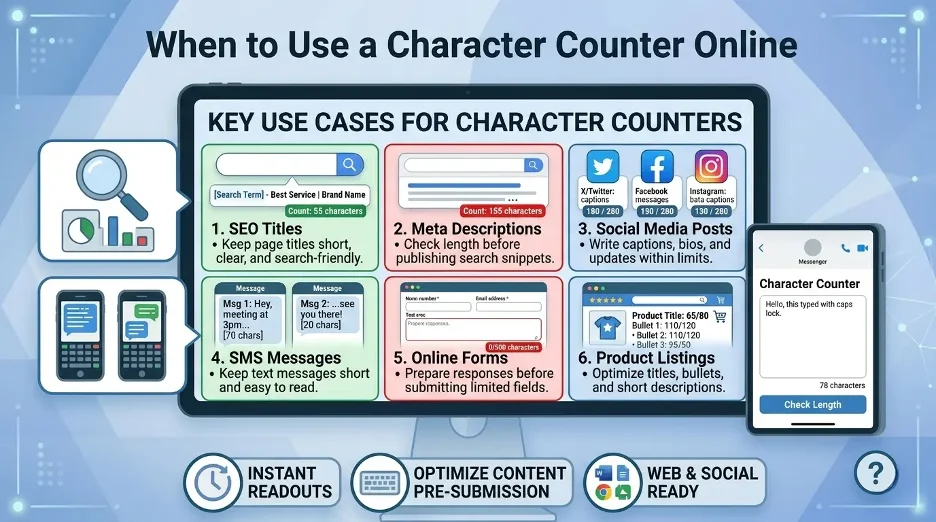
1. Writing SEO Meta Titles
SEO meta titles have limited space in search results. The title can be too long and may get cut off. Let a character counter assist you to make your title readable, concise and search-friendly.For creating SEO titles, I use a character counter to ensure that the title remains short, easy to understand, and has the main keyword. An effective SEO title will capture the main keyword and succinctly communicate the page's content. In the case of a keyword being “character counter online,” the words “character counter online” should be included in the title.
Example:
Character Counter Online: Count Characters Instantly
It is a clear, key-word laden and brief title.
2. Creating Meta Descriptions
A meta description is a brief summary of a page that is displayed to search engines and users. Though not every search engine will display the exact same meta description you craft, having a description that is within a reasonable length will increase the odds that it will be displayed correctly in their results.It's also great for meta descriptions as it lets me add a description to the page but doesn't make it too wordy.
Use a character counter to write informative, but not too lengthy, descriptions.
Example:
Instantly count characters, words, spaces and sentences using a character counter online for writing, forms, social media and SEO.
This description will be understood without a problem and with some semantic terms, like characters, words, spaces, SEO, writing tasks etc.
3. Writing Social Media Posts
Many social media platforms impose limitations on post length, bios, usernames, captions and ads. The character counter assists in making adjustments prior to publishing.I have a character counter for social media so I can keep my posts and bios easy to read before posting them.
It is useful for:
- Social media bios
- Post captions
- Comments
- Short updates
- Ad headlines
- Profile descriptions
Although it is okay for a platform to have long posts, shorter and more clear posts may do better. A character counter to delete any unnecessary words because of readability.
4. Checking SMS and Text Messages
Most SMS text messages have character limits. Sometimes messages are very long and may be broken up into more than one message. This may impact the user experience, formatting and cost.When writing SMS messages, I make sure to pay attention to the number of characters to ensure that it is concise and not confusing.
A character counter is used by businesses and individuals to write short messages for:
- Appointment reminders
- Verification messages
- Promotional texts
- Alerts and updates
- Customer service replies
In business messaging, conforming to the parameters of length can be a more effective approach in making communication more efficient and professional.
5. Filling Out Online Forms
There are many online forms online that restrict the amount of text that can be entered. These restrictions are frequently used in job applications, contact forms, profile summaries etc. and review sections as well as feedback boxes.
A character counter prepares your response before submitting, and provides a view of the length of your response. It comes in handy when a form doesn't have a real-time character counter and only notifies you when you have surpassed the count.
6. Writing Product Titles and Descriptions
Product titles, short descriptions, bullet points and search snippets are often limited in ecommerce platforms. A character counter is a useful feature that assists sellers in developing well-structured and optimized product content.
In the case of product listings, character count is important because the title and description need to be concise enough to fit the screen but also contain keywords to convey key details to visitors.
Use a character counter for:
- Product titles
- Feature bullets
- Short descriptions
- Marketplace listings
- Category page content
- Search result snippets
This can enhance discoverability and readability.
7. Creating Online Ads
Online advertising sites may have character limits for headlines, descriptions, display paths and call to action text. Exceeding the ad copy limit may cause your ad to be rejected.
A character counter helps advertiser write copy to fit format requirements. It also helps to promote brief messaging, which is crucial in ads where people quickly determine whether or not to click.
Great ad copy should be straightforward, informative and promise a benefit.
8. Academic and Professional Writing
For assignments, abstracts, summaries, applications, and reports, word or character limits may be required for students, researchers or professionals.
A character counter is handy to make sure that it's at the appropriate length. It is particularly beneficial for:
- Research abstracts
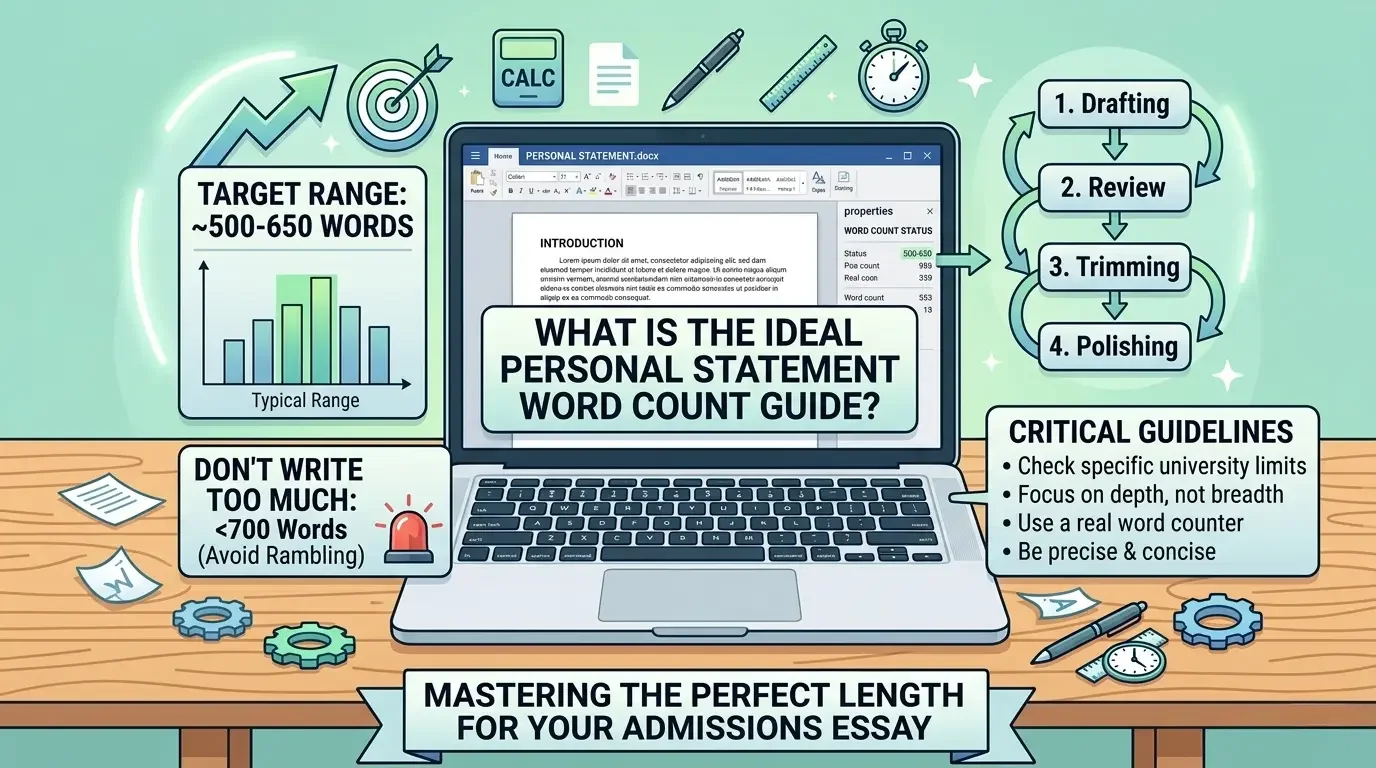
- College applications
- Short essays
- Professional bios
- Resume summaries
- Cover letter sections
- Conference submissions
Academic and professional writing, attention to detail is demonstrated by adherence to length requirements.
9. Writing Usernames, Bios, and Profile Descriptions
Several sites and apps have a restricted number of profile attributes. If you're composing a bio, user name, tag line, or summary of your profile, use a character counter to make it readable without a lot of dead ends.
This is useful for:
- Personal bios
- Author bios
- Business profiles
- App descriptions
- Forum signatures
- Portfolio summaries
Profile descriptions should be concise, pertinent, and informative.
10. Editing and Improving Content
A character counter isn't just for keeping characters within limits. It also assists in editing. If you are aware of the length of the material, you can choose to shorten, expand or restructure the content.
For Example: If a paragraph is too lengthy, you may find it helpful to divide it into smaller ones. You can shorten a title that's too long and retain critical words.
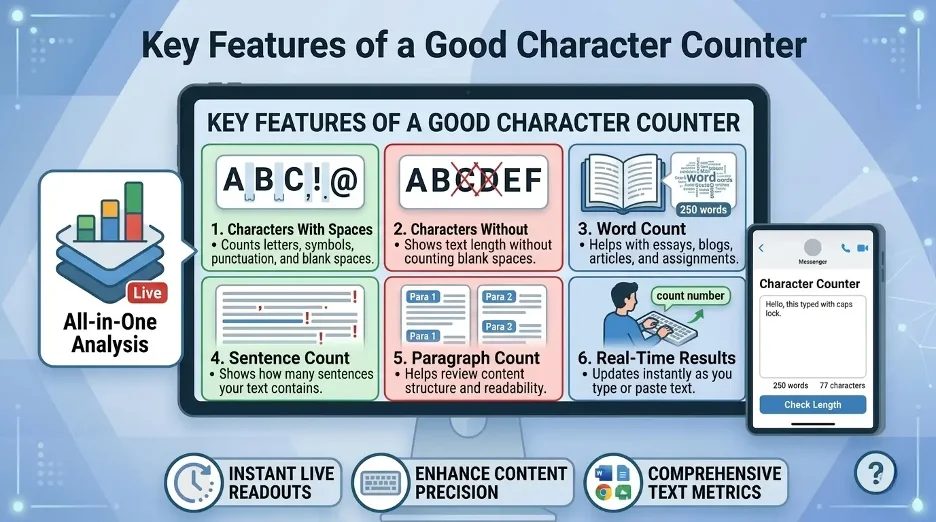
Key Features of a Good Character Counter Online
A good character counter should be easy, quick and correct.I believe and trust a character counter more when it actually indicates the number of characters including spaces, words, sentences and paragraphs.
The best tools typically have the following characteristics:
Real-Time Counting
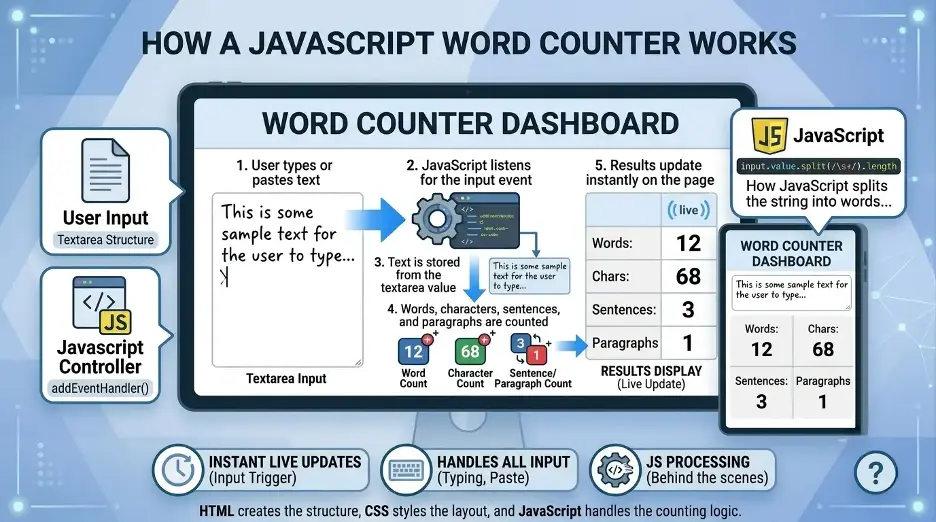
The tool should update the counts in real-time as you type or paste in text. This makes editing easier and quicker.
Characters With and Without Spaces
Some platforms calculate spaces as characters, others only include characters that are visible. A good tool should display both numbers.
Word Count
Word count is beneficial for essays, blog posts, articles, assignments, and professional writing. Pair character limits with our free word counter or see character count in Microsoft Word.
Sentence and Paragraph Count
These metrics can inform users about the structure and readability of the content.
Clean Interface
The character counter should be accessible and easy to use, with no distracting features. Users need to be able to paste text, look at the results and edit rapidly.
No Installation Required
The character counter should be a web-based application that runs within the browser. This allows it to be used from desktops, tablets and mobile devices.
Benefits of Using a Character Counter Online
A character counter isn't just for word count restrictions! It will also assist in editing. If you are aware of your content, and the length of it, you can then determine if it should be shortened, lengthened or restructured.
For Example: If a paragraph is too extensive, shorten it into shorter paragraphs. If the name is excessively long, then you can drop some weak words and retain the primary keyword and can enhance writing quality and process.
The primary advantages are:
- Saves precious time by counting on the spot
- Reduces manual errors
- Helps meet platform limits
- Supports SEO optimization
- Improves content clarity
- Allows for more efficient editing
- Assists with writing short communications
- Works across many writing situations
A character counter can be particularly beneficial for SEO as it can be used to optimize the title, meta description, URL, headings, and snippets.
Character Counter Online for SEO
SEO content may require a specific format, structure, and clarity. This is assisted by a character counter.I use a character counter to help me determine the character limit before publishing titles, descriptions, headings and snippets for SEO.
You can use it for:
- Meta titles
- Meta descriptions
- URL slugs
- Headings
- Image alt text
- Product titles
- Schema descriptions
- Search snippets
But SEO isn't all about the character count. It's also important that the content aligns with the intent of the search, is relevant to the keywords organically used, and offers valuable information.
Best Practices for Using a Character Counter
These are the best practices to get the optimum results from a character counter online:
Know the Required Limit
Count the characters for the platform or content type before writing. This will enable you to have a clear target in your writing..
Count Spaces When Needed
Some platforms count spaces as characters. Be sure to check if the limit contains spaces.
Keep Text Clear, Not Just Short
Don't delete relevant data just to meet character limits. Be clear and useful.
Avoid Keyword Stuffing
If you are writing for SEO, incorporate the keywords in a natural way. Overuse of a particular phrase can make the content seem contrived.
Edit After Counting
Count it as a reference and then refine the sentence flow, structure and readability.
Common Uses of a Character Counter Online
There are many common writing activities where a character counter comes in handy:
- Blog titles
- SEO metadata
- Social media captions
- SMS messages
- Online forms
- Product listings
- Ad copy
- Resume summaries
- Academic abstracts
- Website content
- Profile bios
- Email subject lines
It's also versatile and can be applied to tasks such as personal writing or professional writing.
Interesting Research Facts
Full citations are in Sources below.
Longer posts can increase engagement
Increasing the word count can enhance audience feedback. A macro-level study on microblogging revealed that the more the number of words per text, the more it had been liked (6.73%).Make content as short as possible, but also as efficient as possible by using character counters.
Source: PubsOnline
Word length affects reading time
The length of words has been demonstrated to have a significant effect on fixation duration and reading effort by eye-tracking studies.Character counters aid in scanning and lower fatigue for the reader.
Simple words drive more social engagement
Large-scale studies confirmed that shorter – and more well-known – words tend to be more liked, retweeted and engaged with.To cut down on flowery language and clarity, use character counters.
Source: PNAS
Readable content supports SEO performance
A recent 2024 study revealed that there was a strong correlation between higher SEO authority scores and lower reading grade levels.Keep paragraphs short, readable and search friendly by using word and character counters while editing.
Shorter headlines can improve clicks
The research, conducted online, revealed that short headline characteristics could boost click-through rates.Titles, metatitles, headlines, and email subject lines make good use of character counters.
Source: tandfonline.com
Frequently Asked Questions
1. Can characters be used more than once?
Yes, most of the time spaces count as characters. This is a common question asked by many users for essays, forms, and meta descriptions, as platforms may include spaces in the total.
2. What is the difference between characters with spaces and without spaces?
Any character that has spaces will count as a character, number, symbol, punctuation etc. Characters with no spaces do not count the spaces.
3. Do I need to count words or characters?
However, in cases where there is a specific kind of text limit to be adhered to, like in meta descriptions, SMS, forms, bios, etc., use character count. Apply word count to essays, articles, and assignments.
4.The ideal length of a meta description?
Typically, it is around 150-160 characters with spaces, although it is not a strict ranking rule. It is primarily used to prevent truncation from search engines.
5. Is it better to have a shorter meta description?
No, having a more detailed meta description will not negatively affect the SEO, although it can be shortened when displayed in search results. I use a hierarchy of form fields to keep it short and sweet, so users can grasp the page easily.
6.What is the reason behind the variation in the number of words that different tools display?
Punctuation, symbols, numbers and special characters can be treated differently by various tools. This is why it's important to have a single trustworthy tool that you consistently use.
7. When composing text, can I use a character counter?
Many writers like to track counts on the fly - so they don't have to switch tools or have to manually count repeatedly.
8. What are the benefits of using a character counter online?
It can be used by writers, students, SEO experts, marketers, developers, and social media users to verify the length of the text before publishing or submitting.
How we reviewed this article:
Share this article