How Do You Count Words and Characters in Python Easily?
Count words and characters in python – len(), split(), regex, Counter, file reading examples for simple text analysis.
Quick Summary
- When counting each character in a Python string (including letters, spaces, punctuation, numbers, tabs and newlines), use
len(text). - If you just want to count the number of words, use:
len(text.split())which willsplit()the text based on space and ignore any spaces at the end. - To count the number of characters excluding regular spaces, use
text.replace(" ", "")or"".join(text.split())to remove all whitespace. - When you need to count words more accurately and want to isolate words from punctuation marks, use regular expressions with
re.findall(). - Use the collections.Counter class for counting the frequency of occurrence of characters or words in a string, in simple text analysis.
Count Words and Characters in Python
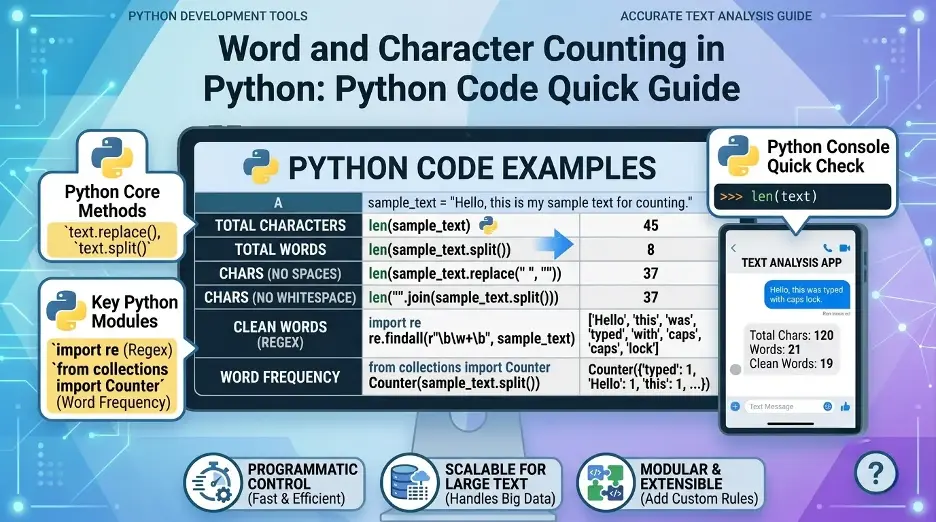
The easiest method to count the number of words and characters in a string in Python:
text = "Python makes text processing easy."

word_count = len(text.split())
character_count = len(text)

print("Words:", word_count)
print("Characters:", character_count)
Output:
Words: 5
Characters: 34
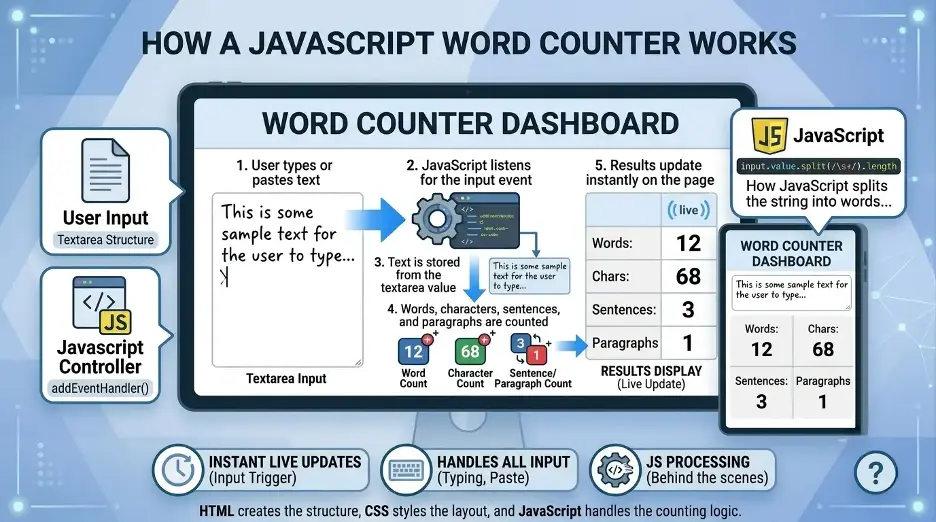
The split() method is used to break down a string into wordsand the len() is used to find out the number of items or characters in a string.
How to Count Characters in Python?
You can use Python's built-in len() function to count thenumber of characters.
text = "Hello Python"

character_count = len(text)

print(character_count)
Output:
12Letters, spaces, punctuation and numbers are all counted as characters within the string, in python.
In the example above: The space between Hello and Python is also included as a character
Count Characters Without Spaces
At times you may wish to count only those characters that are visible and not the spaces. Spaces can be removed with replace() prior to counting.
text = "Hello Python"

characters_without_spaces = len(text.replace(" ", ""))

print(characters_without_spaces)
Output:
11This approach will strip out regular spaces prior to counting the characters.
Count Characters Excluding All Whitespace
The replace(" ", "") method will only delete normal spaces. Use split() and join() if your text has tabs, new lines or multiple spaces.
text = "Hello Python\nWelcome to coding"

characters_without_whitespace = len("".join(text.split()))

print(characters_without_whitespace)
Output:
27This method will strip off the spaces, tabs and newlines.I have added different methods since the number of words and characters may vary depending on the method of counting (spaces, tabs, new line, punctuation, etc.).
How to Count Words in Python?
The simplest approach to count words in Python is to use the split() system.
text = "Python is easy to learn"

words = text.split()
word_count = len(words)

print(word_count)
Output:
5By default, split() separates text based on whitespace. It handles multiple spaces automatically.
text = "Python   is    easy"

print(len(text.split()))
Output:
3This makes split() a clean and reliable option for simple word counting.
Count Words and Characters Together
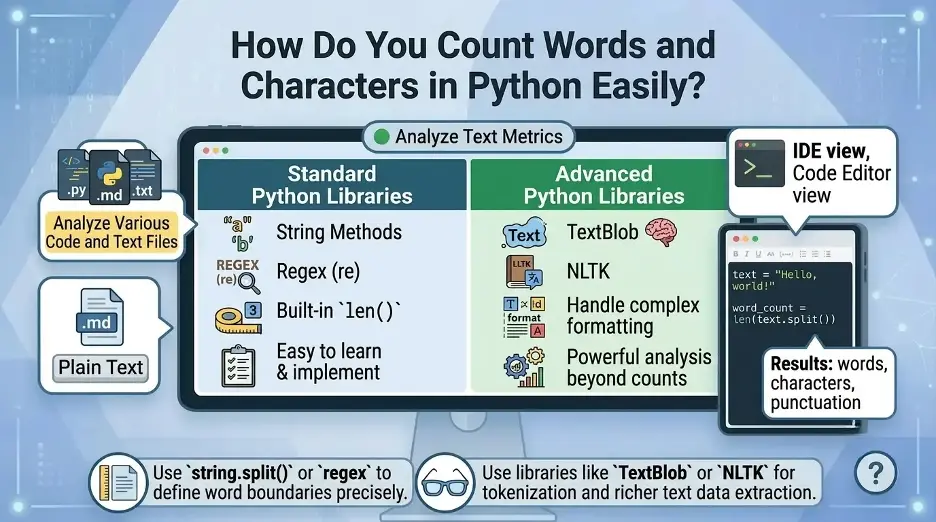
You can count both words and characters in one small Python program.
text = "Python is great for text analysis."

word_count = len(text.split())
character_count = len(text)
characters_without_spaces = len(text.replace(" ", ""))

print("Word count:", word_count)
print("Character count:", character_count)
print("Characters without spaces:", characters_without_spaces)
Output:
Word count: 6
Character count: 34
Characters without spaces: 29
This is useful when building a basic text counter tool.
Create a Reusable Python Function
If you need to count words and characters multiple times, create a function.
def count_words_and_characters(text):
    words = text.split()

    return {
        "words": len(words),
        "characters_with_spaces": len(text),
        "characters_without_spaces": len(text.replace(" ", "")),
        "characters_without_whitespace": len("".join(text.split()))
    }

text = "Python makes word counting simple."

result = count_words_and_characters(text)

print(result)
Output:
{
    'words': 5,
    'characters_with_spaces': 34,
    'characters_without_spaces': 30,
    'characters_without_whitespace': 30
}
This function provides you with several statistics regarding text.I like to use the built-in functions of Python for this, as they are easy to use, quick, and don't need additional packages.
Count Words More Accurately Using Regex
The split() method is good in most basic situations but may not always split up punctuation as desired.
For example:
text = "Hello, Python! Are you ready?"

print(text.split())
Output:
['Hello,', 'Python!', 'Are', 'you', 'ready?']The punctuation stays attached to the words. If you want to extract only word-like patterns, use Python’s re module.
import re

text = "Hello, Python! Are you ready?"

words = re.findall(r"\b\w+\b", text)

print(words)
print("Word count:", len(words))
Output:
['Hello', 'Python', 'Are', 'you', 'ready']
Word count: 5
Regular expressions may be useful when you want to have more control over the definition of a word.I only suggest using regex if I need more clean word counting and I want to clean words from punctuation.
Count Words in a Text File
You can also count words and characters from a .txt file in Python.
with open("sample.txt", "r", encoding="utf-8") as file:
    text = file.read()

word_count = len(text.split())
character_count = len(text)

print("Words:", word_count)
print("Characters:", character_count)
This reads the full file content and counts the words and characters.
For small and medium text files, this method is simple and effective.
Count Words Line by Line in a File
For larger files, you may prefer reading line by line instead of loading the entire file into memory.
word_count = 0
character_count = 0

with open("sample.txt", "r", encoding="utf-8") as file:
    for line in file:
        word_count += len(line.split())
        character_count += len(line)

print("Words:", word_count)
print("Characters:", character_count)
This approach is better for large files because it processes one line at a time.
Count Specific Characters in Python
If you want to count how many times a specific character appears in a string, use thecount() method.
text = "banana"

letter_count = text.count("a")

print(letter_count)
Output:
3This is useful for character frequency checks, input validation, and simple text analysis.
Count Each Character Frequency
To count how often each character appears, use collections.Counter.
from collections import Counter

text = "hello"

character_frequency = Counter(text)

print(character_frequency)
Output:
Counter({'l': 2, 'h': 1, 'e': 1, 'o': 1})You can also count word frequency in a similar way.
from collections import Counter

text = "python is easy and python is powerful"

word_frequency = Counter(text.split())

print(word_frequency)
Output:
Counter({'python': 2, 'is': 2, 'easy': 1, 'and': 1, 'powerful': 1})This is especially useful for basic text analysis and keyword frequency checks.
Count Words from User Input
You can create a simple Python word and character counter that accepts user input.
text = input("Enter your text: ")

word_count = len(text.split())
character_count = len(text)
characters_without_spaces = len(text.replace(" ", ""))

print("Words:", word_count)
print("Characters with spaces:", character_count)
print("Characters without spaces:", characters_without_spaces)
This can be used as the foundation for a command-line word counter.
Best Method to Count Words and Characters in Python
The best method depends on what you need:
| Task | Best Method |
|---|---|
| Count characters with spaces | len(text) |
| Count characters without spaces | len(text.replace(" ", "")) |
| Count characters without whitespace | len("".join(text.split())) |
| Count simple words | len(text.split()) |
| Count words with punctuation handling | re.findall() |
| Count specific character occurrences | text.count() |
| Count character or word frequency | collections.Counter |
| Count words in a large file | Read line by line |
For most basic word counting tasks, len(text.split()) is enough. For more accurate text processing, use regular expressions.
Common Mistakes to Avoid
1. Using len(text) to Count Words
len(text) counts characters, not words.
text = "Hello Python"

print(len(text))
This returns 12, not 2.
2. Not Handling Extra Spaces
Avoid manually splitting by a single space unless you have a specific reason.
text = "Python   is easy"

print(text.split(" "))
This can create empty string items when there are multiple spaces.
Use this instead:
print(text.split())3. Ignoring New Lines and Tabs
If your text includes new lines or tabs, use split() without arguments. It handles whitespace better.
text = "Python\nis\tgreat"

print(len(text.split()))
Output:
3Complete Example: Python Word and Character Counter
Here is a complete example that combines the most useful counts.
import re
from collections import Counter

def analyze_text(text):
    words = text.split()
    clean_words = re.findall(r"\b\w+\b", text.lower())

    return {
        "word_count": len(words),
        "clean_word_count": len(clean_words),
        "character_count": len(text),
        "characters_without_spaces": len(text.replace(" ", "")),
        "characters_without_whitespace": len("".join(text.split())),
        "word_frequency": Counter(clean_words)
    }


text = "Python is easy. Python is powerful!"

analysis = analyze_text(text)

for key, value in analysis.items():
    print(key, ":", value)
Output:
word_count : 6
clean_word_count : 6
character_count : 36
characters_without_spaces : 31
characters_without_whitespace : 31
word_frequency : Counter({'python': 2, 'is': 2, 'easy': 1, 'powerful': 1})
This example gives you word count, character count, cleaned word count, and word frequency in one function.
You can compare Python counts with our word count vs character count guide or use the free word counter for quick manual checks.
Interesting Research Facts
Full citations are in Sources below.
Characters-to-tokens baseline
A common BPE tokenizer has an average of 4.57 bytes per token, and so the rule of thumb is about 4-5 characters per token.
Source: Characters-to-tokens baseline
Memory optimization can drive huge speedups
Training of 1GB of text took 4.7 CPU days, but it now takes approximately 593 seconds, which is a 600x+ improvement.
Raw text often needs cleaning
The number of errors that can occur in clinical free-text research reports, including spelling, grammar, translation, and copy-forward errors, are up to 10%, so it is highly advisable to use .strip(), .lower(), and re cleanup before counting.
Source: Raw text often needs cleaning
Optimized tokenizers can handle massive throughput
The hybrid tokenizer benchmark resulted in a throughput of 1,899,670 tokens per 1,935 milliseconds, or almost 1 million tokens per second for an optimized tokenizer.
Normalization helps recover more usable data
Automated normalization received a 5.1% higher number of text responses and lost a mere 0.5% accuracy.
Frequently Asked Questions
1.In Python, does the length of a string len(text)count words?
Note that the number of characters len(text) refers to, not words. Use len(text.split())to count the words.
2.Why does the word count I get in my Python script seem to be less than what I'd anticipate?
With the use of input(), Python may read just one line of text. Read from a file or store a full text or article in a multiline string, for long text.
3.Can split() be used to deal with excess spaces?
Yes, multiple spaces, tabs and new lines will be automatically included in the result of text.split() when no separator is provided.
4.How to count words without punctuation?
If you desire cleaner word counting then use regex. For Example, re.findall(r"\b\w+\b", text) will extract the word-like patterns without the punctuation.
5.How can I get the number of words in a text file?
Open the file, read the text and use len(text.split()). If it is a large file, read the file line by line and calculate the number of words for each line with the line.reads()method.
6.How to count the number of times a word appears in python?
Use collections.Counter. It counts the number of occurrences of words and can be used as a simple word frequency analysis.
How we reviewed this article:
Share this article